

Example Error
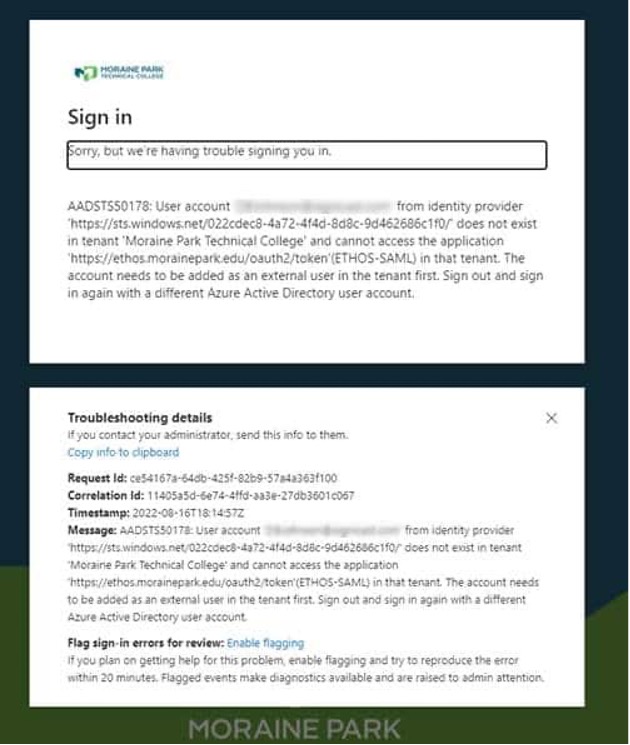
This error occurs when you are logged in to Office365 with your personal account or student account and attempting to access a Moraine Park site that require you to be logged in with your MPTC account. To fix this, you have a couple of different options:
Option 1
1. Navigate to office.com and click on your profile icon in the top right of your screen.
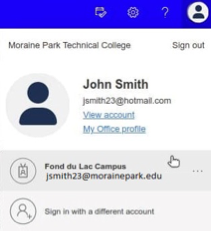
2. Select your MPTC account. If it does not show up in the list, click “Sign in with a different account” and enter your MPTC email and password.
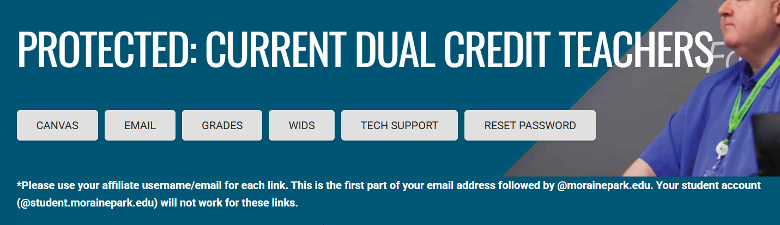
3. Try accessing the Current Dual Credit Teachers | Dual Enrollment | Moraine Park Technical College. You will use your MPTC account to log in to Canvas, MPTC Email, Grade Entry, WIDS, or to change your password
Option 2
1. Open a browser window in Incognito Mode (sometimes called “InPrivate” or “Private” window, depending on your browser). (Please work with your High School IT resource if help is needed for opening an incognito window).
2. Try accessing the Current Dual Credit Teachers | Dual Enrollment | Moraine Park Technical College. You will use your MPTC account to log in to Canvas, MPTC Email, Grade Entry, WIDS, or to change your password
If sign-on is still unsuccessful:
Request Help (Call, Chat, or Submit Ticket to IT HelpDesk)