

eBooks & Audiobooks
Step 1: Go to libbyapp.com or download the Libby App on your phone.
Step 2: Click on “Yes, I have a Library Card.”
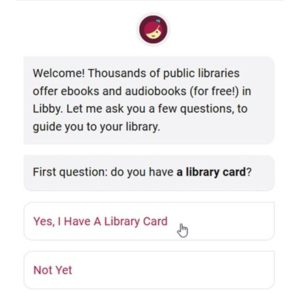
Step 3: Click on “Search for a Library.”
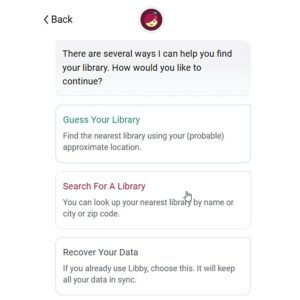
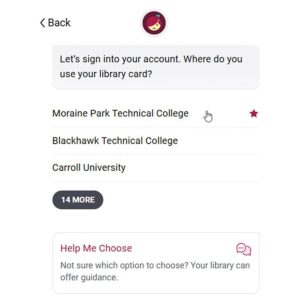
Step 4: Search for “Moraine Park,” which is part of the Wisconsin Academic Library Consortium. Select the “Moraine Park Technical College” option.
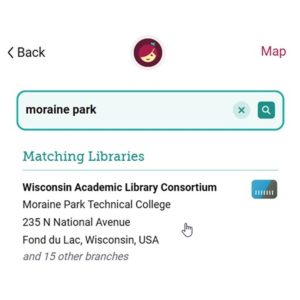
Step 5: Click on “Sign In with My Card.”
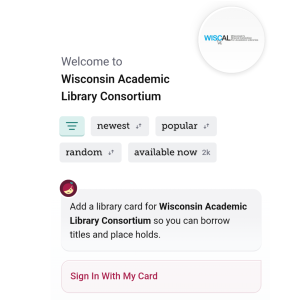
Step 6: Click on “Moraine Park Technical College.”
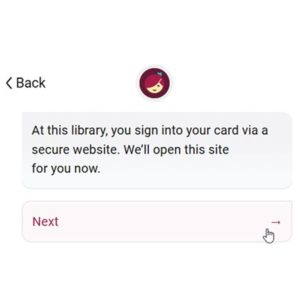
Step 7: Click “Next.”
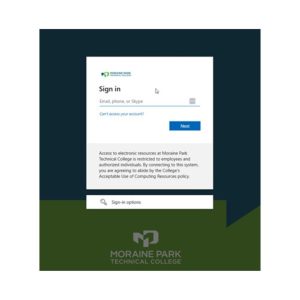
Step 8: Login using your Moraine Park credentials.
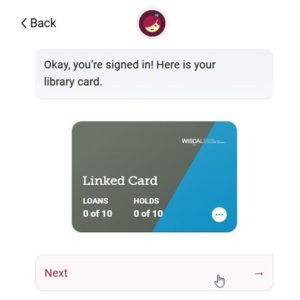
Step 9: Click “Next” when signed in with your Moraine Park linked library card.
Step 10: Find something to borrow.
- Click “Search” to find a specific title, author, series, etc.
- Click “Library” to browse our library’s catalog. You’ll find helpful filters, catalog guides, campaigns, and curated lists.
Tip: Not ready to read a title, but want to keep track of it? Tag it for later.
Your loans will appear on your Shelf
On your Shelf:
- Click “Loans” to read or manage your borrowed titles.
- Click “Holds” to see your place in line and manage your holds.
- Click “Timeline” to see your Libby activity history.
Questions?
As always, you can email, call, use online chat, or stop in any of our campus libraries for assistance and questions.
Happy Reading!